Jerry Jones posted: " The WordPress editor keeps expanding its library of blocks, adding new and exciting functionality to websites on a regular basis. After a crop of new business-related blocks last month, our most recent additions will appeal to three communities we hold c"
The WordPress editor keeps expanding its library of blocks, adding new and exciting functionality to websites on a regular basis. After a crop of new business-related blocks last month, our most recent additions will appeal to three communities we hold close to our heart: podcasters, podcast lovers, and bloggers.
Use the Podcast Player block to spread the word about your favorite episodes
Podcasts have been an unstoppable cultural force for several years now -- and the format seems to have only grown in popularity in recent months, as so many of us are at home and looking for entertainment and (occasionally?) enlightenment.
Are you a podcaster? Add the Podcast Player block to share your passion project with your visitors, embedding your podcast's latest episodes on any post or page on your website. If you haven't launched a podcast (for now, anyway), but are still an avid listener, you can now embed episodes from others' shows within your own content so readers can listen to them without ever leaving your site.
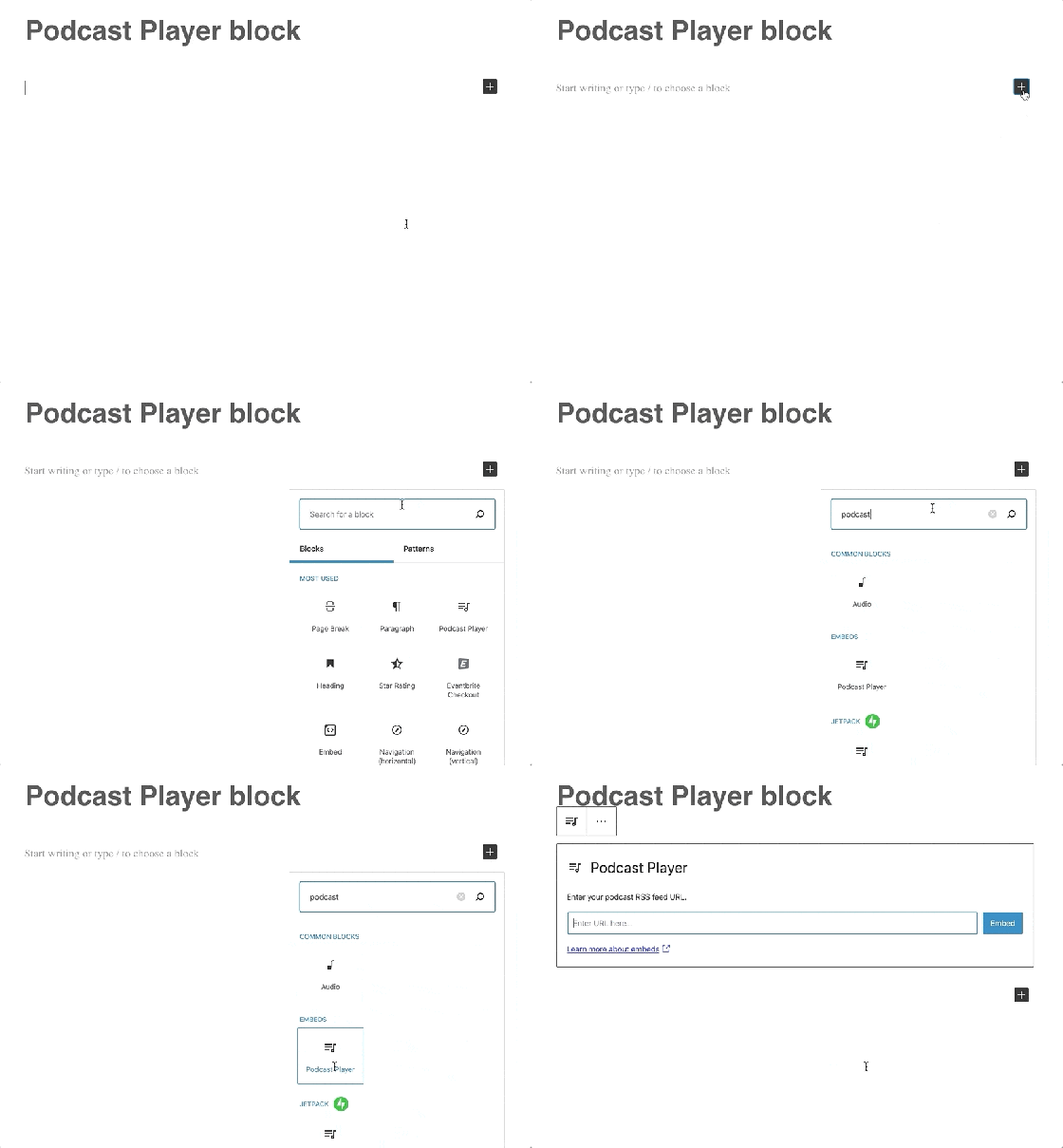
Once you choose the Podcast Player block from the available blocks in the editor, you won't need any special codes or embed links. The only information you'll have to provide is the podcast's RSS feed URL (not sure where to find it? The information will be readily available on your preferred podcast platform.) Here's what the podcast player will look like on your site -- the example below features the latest episode on the Distributed podcast, hosted by Automattic CEO Matt Mullenweg:
Episode 20: Adam Gazzaley on the Distracted Mind During a Crisis
You can customize the Podcast Player block in a number of ways, from specifying how many of the most recent episodes to display, to deciding whether or not you'd like to show each episode's description. Whether you feature your own podcast or someone else's, you get to design the listener's experience on your site. Learn more about adding and customizing the Podcast Episode block.
Keep readers reading with the Post Carousel block
Sooner or later, both veteran bloggers and newer creators encounter a similar issue: publishing frequently helps energize your audience (and gives you an SEO boost, too), but also makes older posts tougher to find.
The Post Carousel block comes to the rescue, providing an easy gateway to the treasures in your blog's archives.
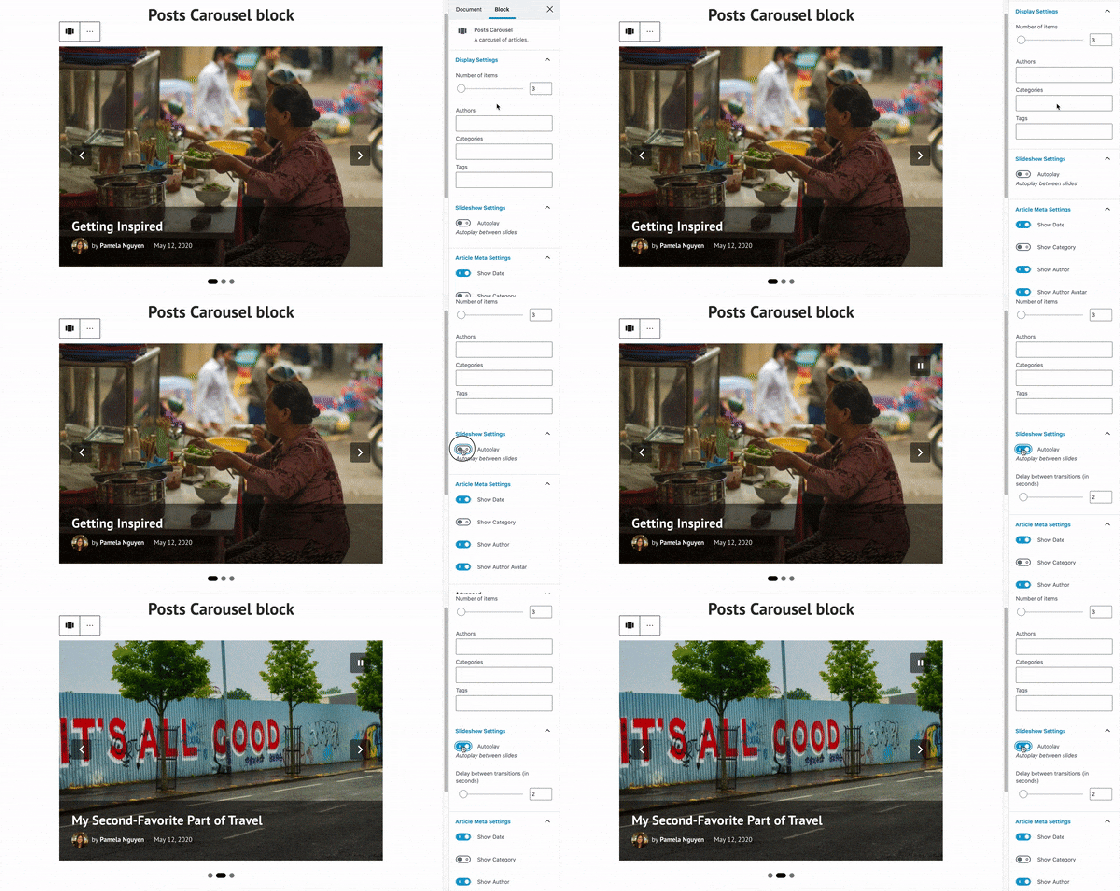
Add the Post Carousel block to any post or page on your site to encourage visitors to explore more posts (by default, the block will display your most recent ones). For a post to show up in the carousel, it needs to have a featured image; the idea is to engage and entice readers with strong visuals they'll want to click on. To get a taste of the carousel in action, here's one highlighting the five most recent posts on the WordPress.com Blog:
For a more curated experience, you can customize what the post carousel shows. A post about your cauliflower taco recipe might call for a carousel showing other recipes that share the "vegan" tag or category. If you run a multi-author online magazine, consider presenting other stories by the same contributor. You can also configure how many items each carousel displays and whether it automatically slides from one featured post to another (among other options). Learn more about adding and customizing the Post Carousel block.
We hope you give these two new blocks a try -- leave a comment if you have any questions, or if you'd like to share a link to a post where you've already used them.
Kasey Steinbrinck posted: " You've launched your website or started a blog. Congratulations! Now it's time to attract an audience. You built a website to reach people with your art, ideas, or products and services. We've created a free online session to help you do just that. "
You've launched your website or started a blog. Congratulations! Now it's time to attract an audience. You built a website to reach people with your art, ideas, or products and services. We've created a free online session to help you do just that.
Register for our next 60-minute webinar, Traffic Control: How to Find and Grow an Audience for your Website, to get advice and guidance on attracting the right people to your site.
Date: May 27, 2020 Time: 10:00 a.m. PDT | 11:00 a.m. MDT | 12:00 p.m. CDT | 1:00 p.m. EDT | 17:00 UTC Cost: Free | Register now Who's invited: Content creators, online publishers, and small businesses looking for the best ways to build an audience of loyal customers and dedicated readers.
Topics will include:
Understanding your audience.
Demystifying SEO.
How to optimize your site for local visitors.
What does "quality content" really mean?
Using email, social media, and paid advertising.
How to take advantage of WordPress.com's marketing tools for audience growth.
Hosts Chris Smith and Kasey Steinbrinck run their own sites and both have worked with a variety of businesses to help them optimize their websites and create strong content. They'll help you choose what to focus on so that you can make the most of your time.
After working as an SEO specialist for many years, Chris supports WordPress.com customers with expert advice as a Happiness Engineer. Kasey started his career as a TV news producer and entertainment writer before becoming a content marketer and an independent blogger. Today he works on WordPress.com's content strategy.
The 60-minute webinar will include detailed instructions on WordPress SEO as well as a Q&A session. Seats are limited so register today to reserve your spot.





 WordPress.com